— Chapter I · ⌘1 —
Write
The drafting surface. Cream manuscript page, serif typography, drop cap on the chapter opener, sidebar of chapters at a glance, inspector with the metadata that matters while you write.
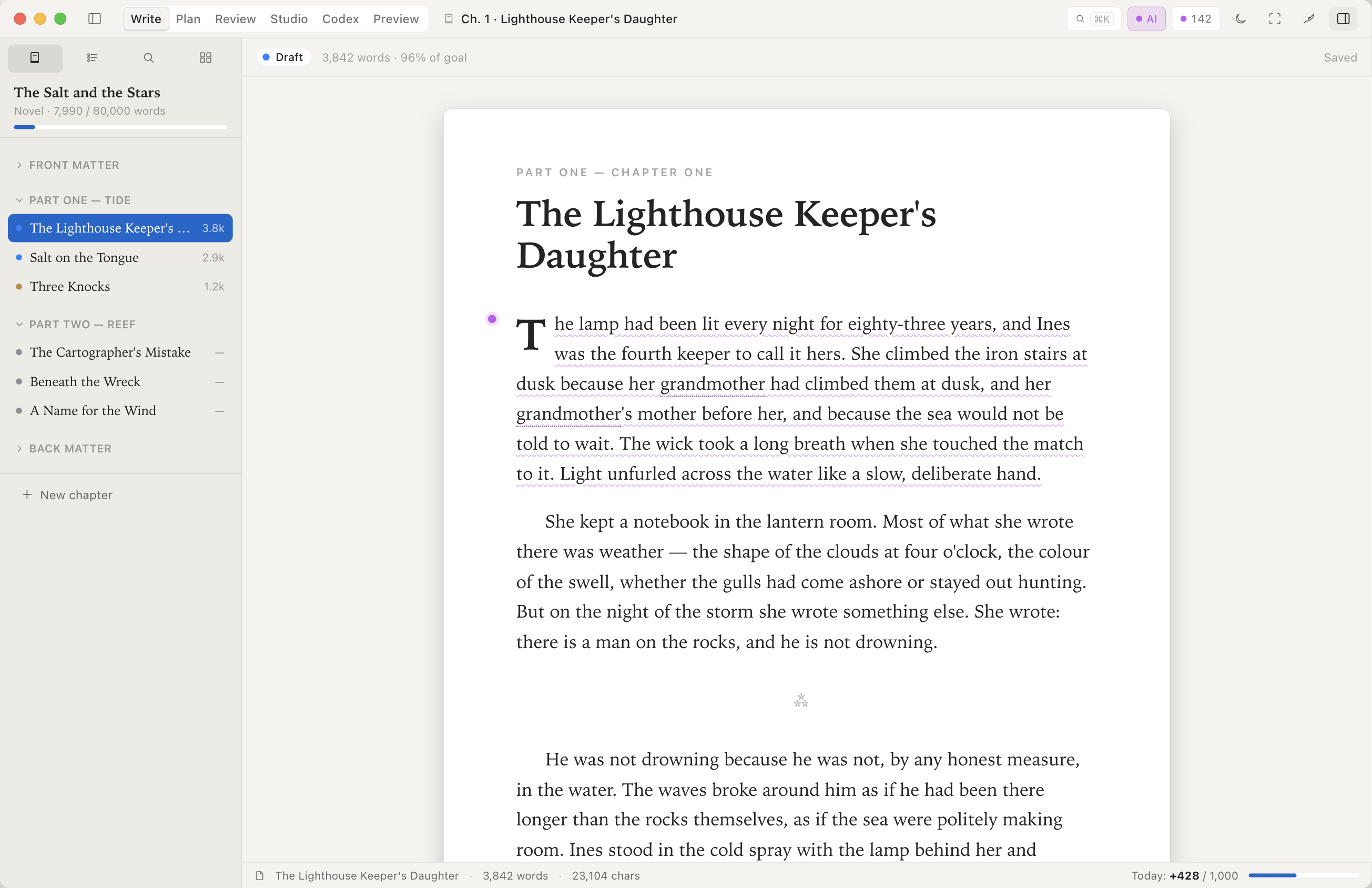
- Manuscript canvas. Serif prose, drop cap, optical line measure tuned for long reading sessions.
- Chapter status, inline. Draft, Outline, Idea pills next to each chapter — see what's done and what's open at a glance.
- Word goal with momentum. Per-session and per-day count, average words per minute for the current run.
- Linked references. Characters, places, research notes — pinned to the chapter you're in.
— Chapter II · ⌘2 —
Plan
Beat board, scene cards, the architecture of the book before you commit to prose.
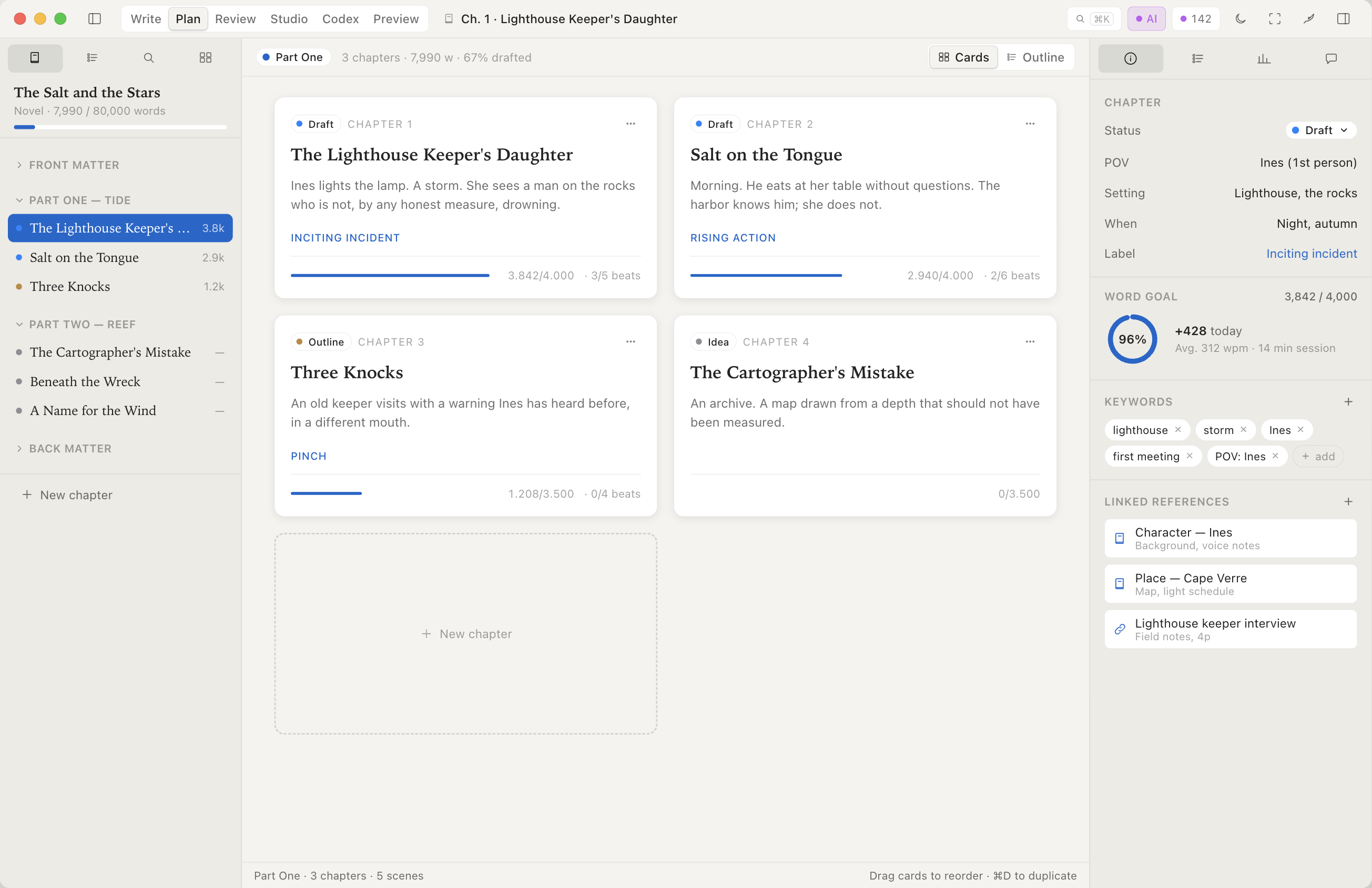
- Beat-tagged chapters. Inciting Incident, Pinch, Climax — the structural skeleton of your story, visible.
- Drag-to-reorder. Move chapters and scenes by hand. Status, word count, and beat tags travel with the card.
- Outline-vs-actual gap. See where the draft drifted from the plan.
— Chapter III · ⌘3 —
Review
Diff every revision. Comment on lines. Resolve threads. The version-control surface a working writer actually wants.
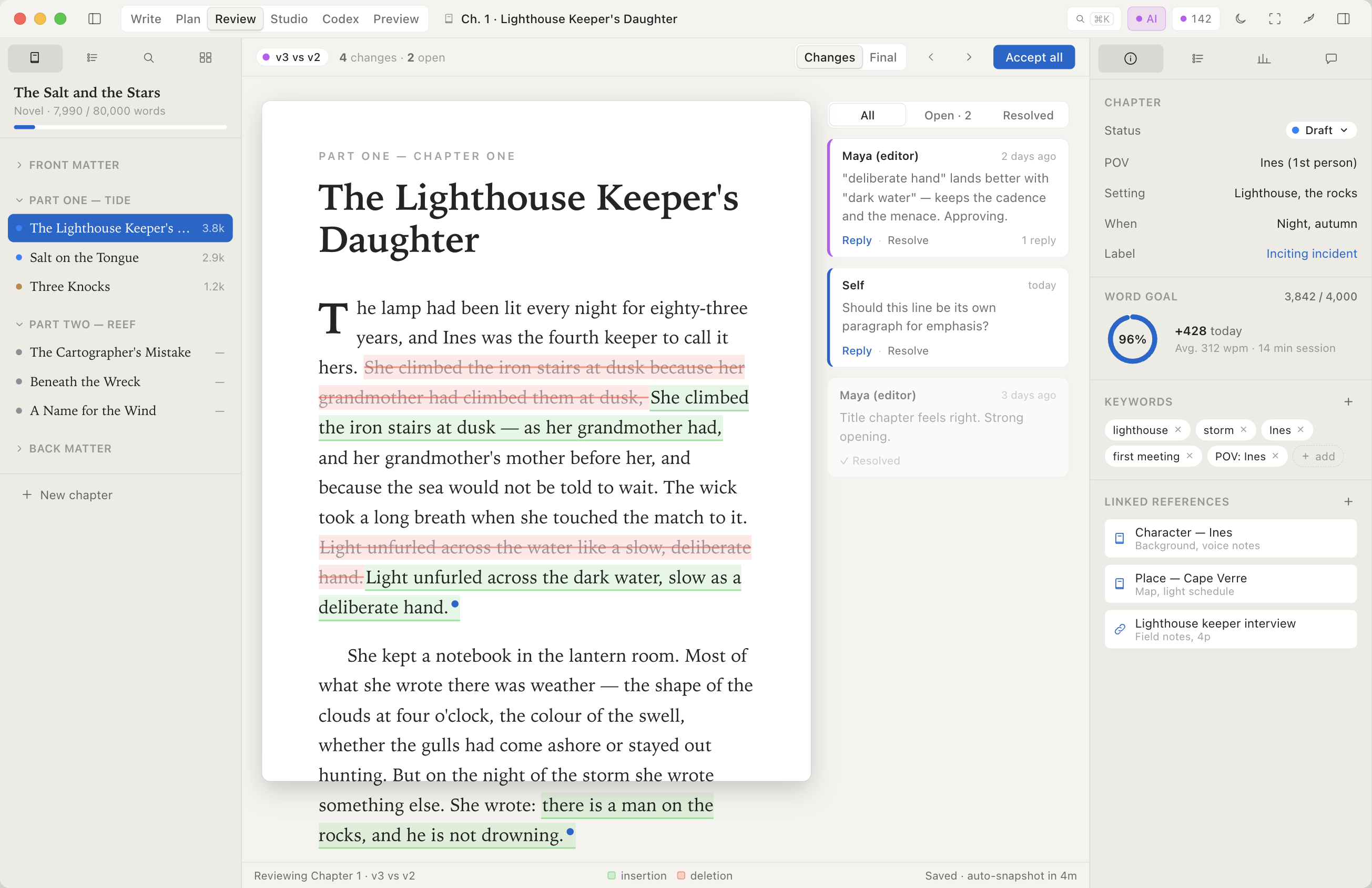
- Inline version diff. v3 vs v2 with strike-through deletions and insertion underlines, in the manuscript itself.
- Threaded editor comments. Reply, resolve, mark for re-read. Comments live with the chapter, not in a separate doc.
- Auto-snapshots. Every save is a checkpoint you can roll back to.
- Accept-all with a confirm dialog. Bulk operations exist; they always ask first.
— Chapter IV · ⌘4 —
Studio — your editorial desk
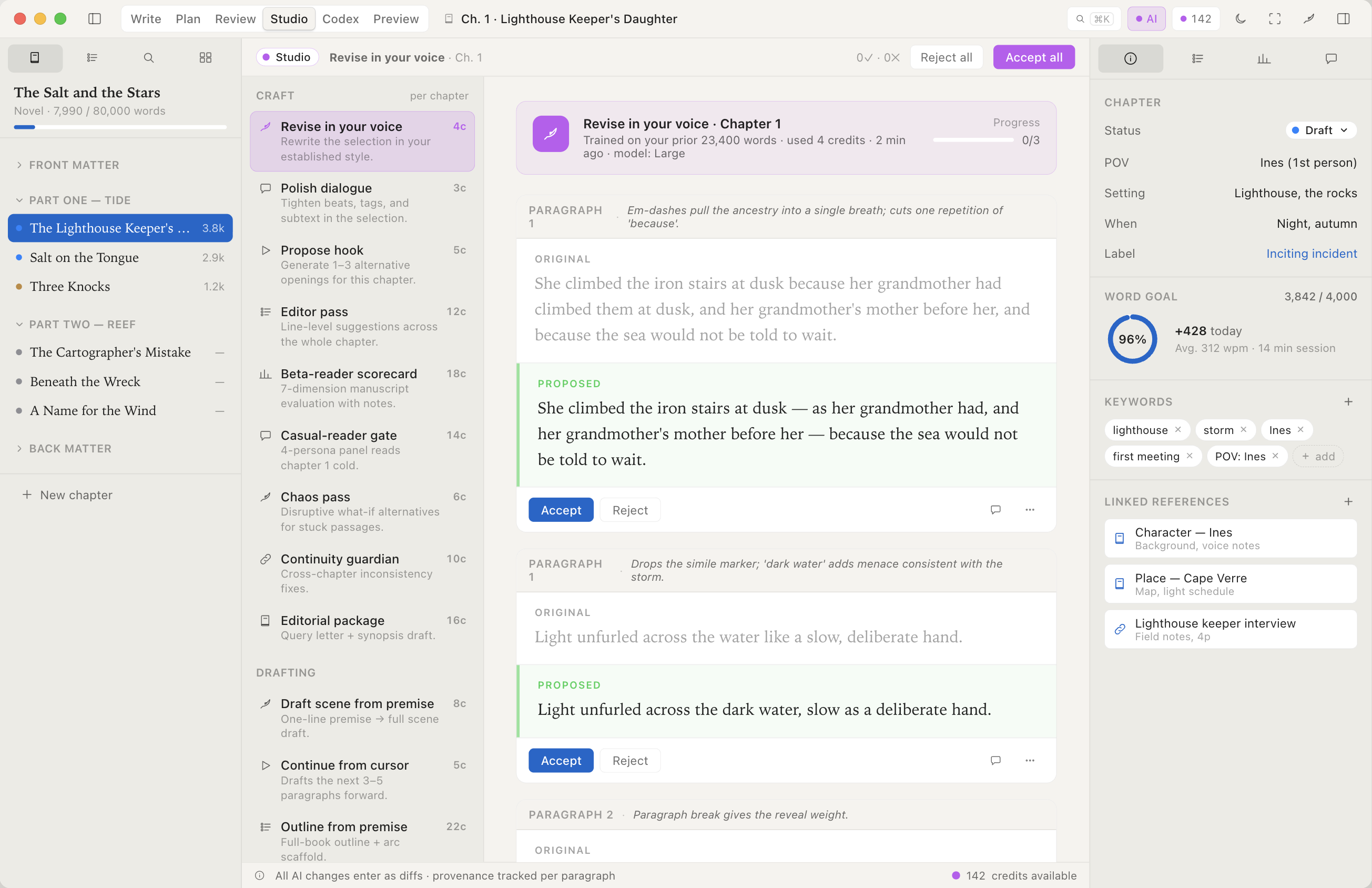
The editorial team an indie author normally pays for, available on the chapter you're working on. Continuity editor, line editor, manuscript assessment, beta reader. Every suggestion lands as a per-paragraph diff you accept or reject.
- Continuity Watch. Catches the eye-color change between chapter 2 and chapter 7. The work a continuity editor does, on every save.
- Manuscript Report. Pacing per chapter, dialogue density per scene, readability per page — the editorial assessment that runs $500–$2,000 from a freelancer.
- Editorial Pass. A line editor's full chapter markup, served as a list of accept/reject diffs.
- Line Polish & Dialogue Polish. Sentence-level edits on a passage you select; tightening on a scene of dialogue you select.
- Opening Lines. Three alternative openings for a chapter you flag as stuck.
- Reader Scorecard. A 7-dimension critique of the manuscript — paid-beta-reader output, in the app.
- Submission Kit. Drafts the query letter and synopsis from your manuscript, for you to edit and send.
- Provenance, always. Every change a tool proposed is recorded; one toggle reveals all editorial touches; one click strips them back to your original prose.
— Chapter V · ⌘5 —
Codex — your story bible
Cast, places, things, factions — auto-detected from your prose, confirmed by you, kept in sync. The story bible you'd otherwise maintain by hand in a separate document.
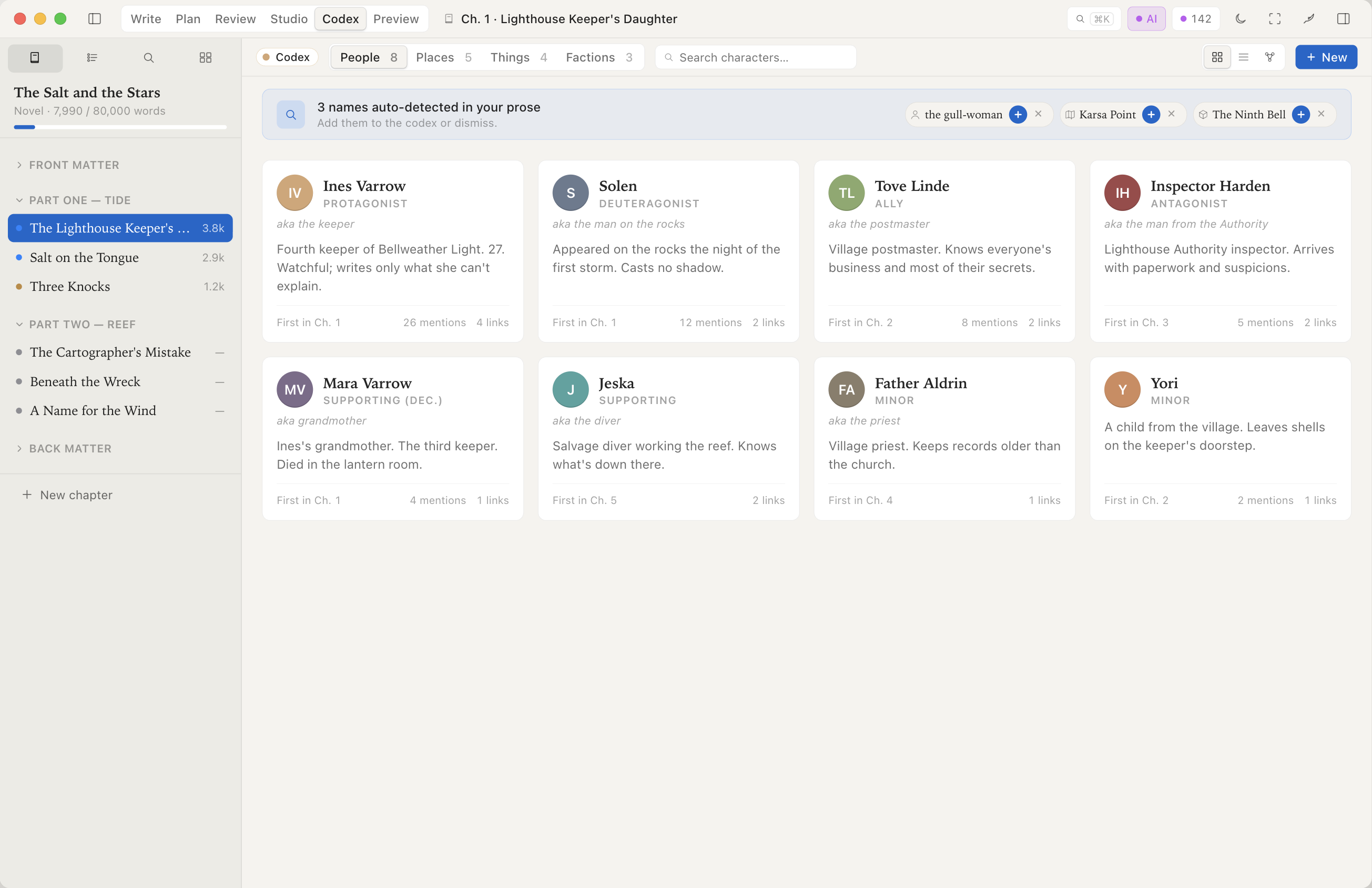
- Cast & Timeline. Auto-extracted characters with role labels, scene presence, dialogue distribution.
- Places, Things, Factions. Same treatment for everything else that makes up your world.
- Auto-detection with veto. Three names just appeared in chapter 9 — confirm or dismiss in one click.
- First-mention links. Click any entry; jump to the page it was introduced.
— Chapter VI · ⌘6 —
Preview
EPUB, PDF, Apple Books — proof what the reader will actually see, before the file leaves your Mac.
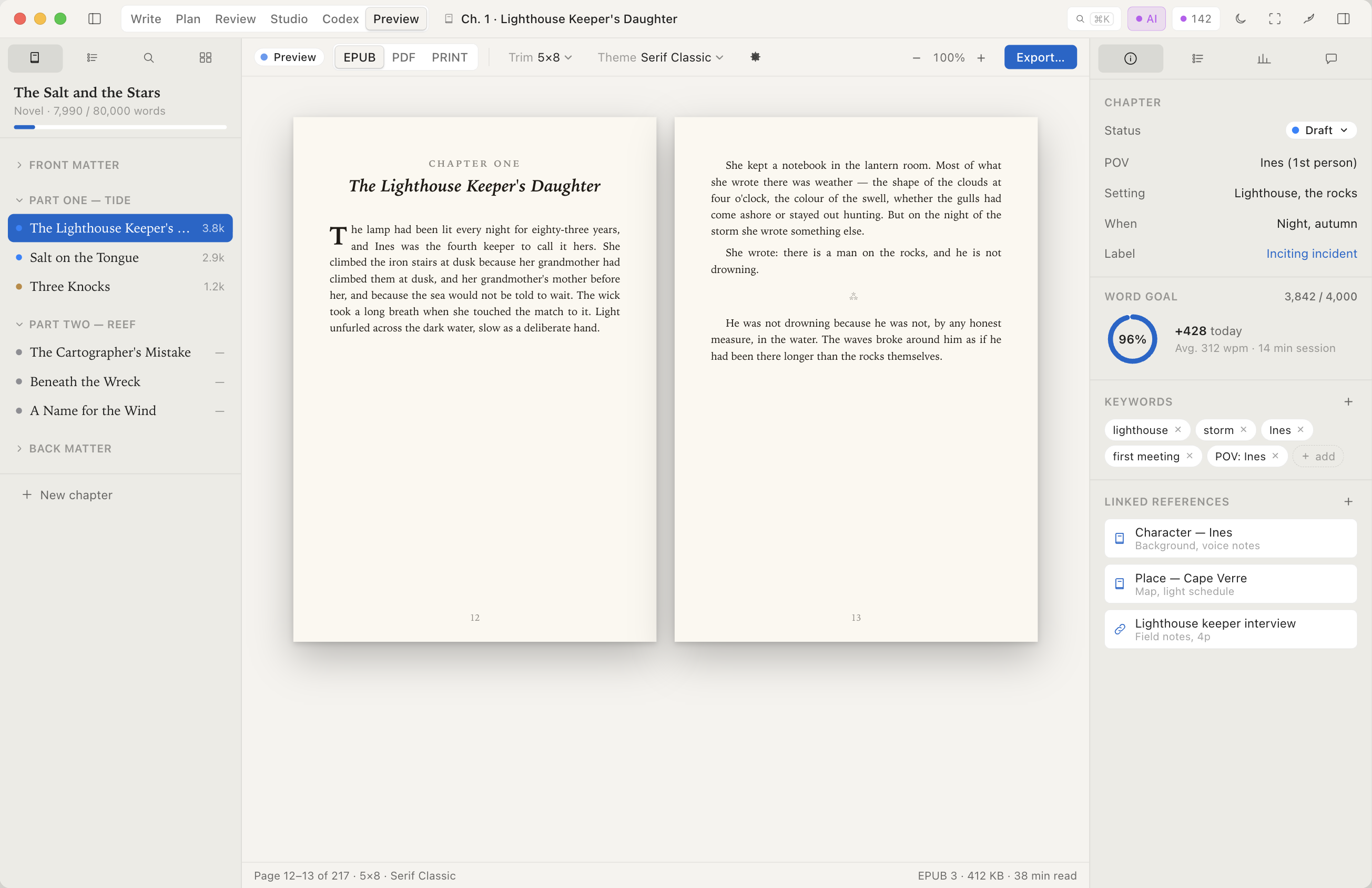
- EPUB output. Industry-grade typesetting, validated against the EPUB 3 spec.
- Print-ready PDF. Trim sizes, gutters, running heads, drop folios.
- Publish to Apple Books. Direct submission from the app.
- Same proof, every export. The previewer renders the actual export pipeline — no surprise differences between preview and final file.
— Beyond the modes —
The rest of the brief
Three forms, one app
Most writers work in more than one form. Switch between prose and screenplay within the same project. Same sidebar, same scene tools, same export workflow. Fountain support is native — scene numbers, revision marks, dual dialogue, industry page counts.
Open format, no lock-in
The .book format is documented. EPUBs you've already exported keep working forever. No subscription holds your manuscript hostage; if Incipor ever shuts down, a final no-paywall build ships.
Mac App Store distribution
Sandboxed, signed, refundable through Apple. Universal purchase covers Mac, iPad, and iPhone — buy once, use everywhere.
Coming soon to the Mac App Store
Incipor is in active development. Be the first to know when it launches.